
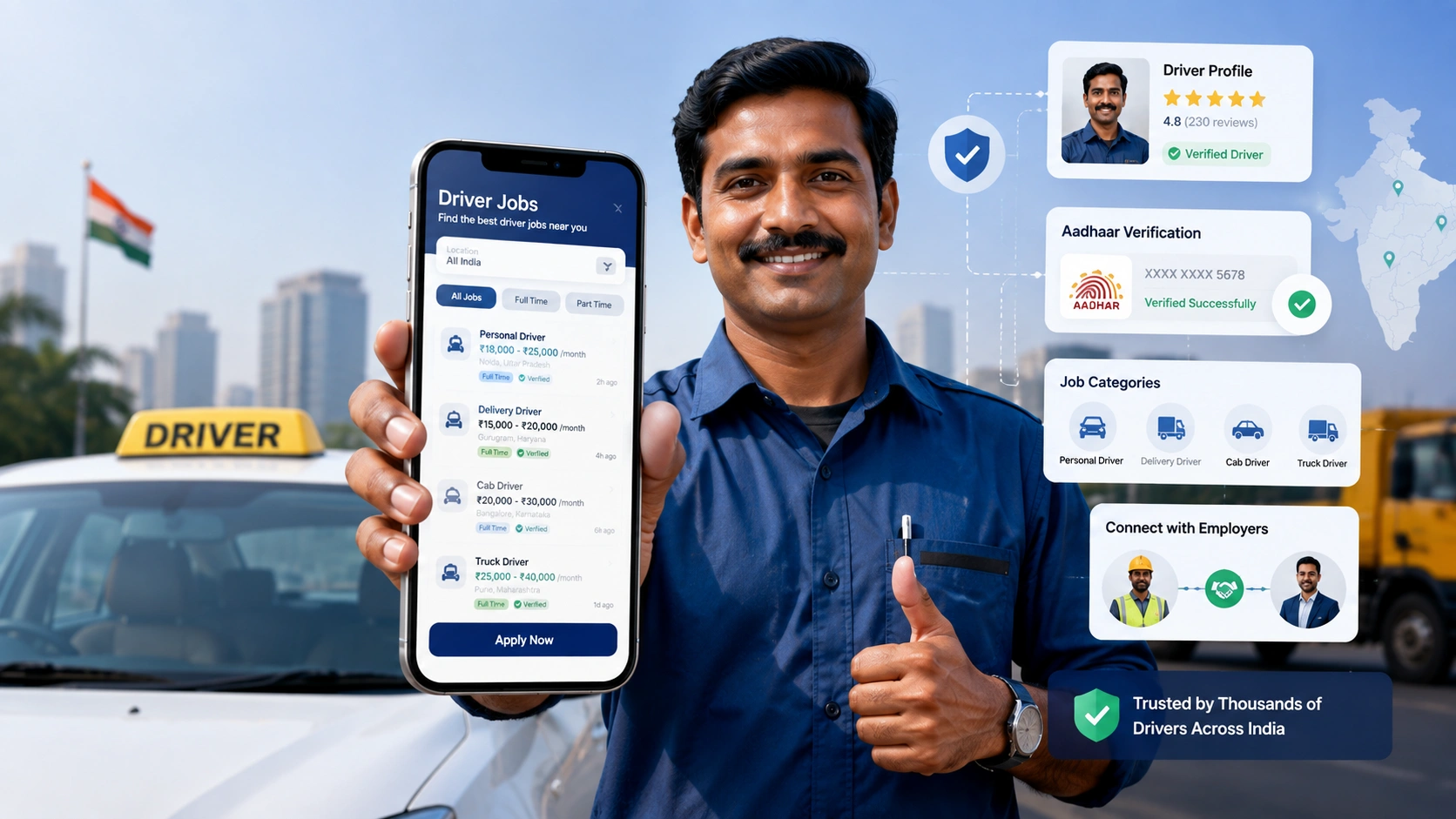
Despite the name, Drive Link Pro has nothing to do with cloud storage or file sharing. It’s a job portal app built by Askan Technologies, a company based in Puducherry, India, designed specifically to connect drivers and other blue-collar workers with employers across the country. If you’re a driver looking for work, or a business trying to hire one, this is what the app offers, how it works, and what to watch out for before you rely on it.
What Drive Link Pro Is For
Drive Link Pro positions itself as a dedicated hiring platform for driving and blue-collar roles, rather than a general job board. The app connects two sides of the same problem: drivers searching for verified job opportunities, and employers trying to find reliable candidates without sorting through unrelated listings.
The core idea is verification. Rather than relying purely on self-reported resumes, the platform uses Aadhaar-based identity verification (India’s national ID system) to confirm a driver’s identity before they can apply for roles, which is meant to give employers more confidence that the person behind a profile is who they say they are.
Key Features
Job search built for driving roles. Openings can be filtered by location, role type, and availability, so drivers can narrow results to positions that actually fit their schedule and area instead of scrolling through irrelevant listings.
Aadhaar-based verification. New users complete an identity check as part of onboarding, which the platform uses to establish trust between drivers and the employers reviewing applications.
Document upload and profile creation. Drivers can build a profile and upload the documents employers typically ask for, aiming to cut down the back-and-forth that usually comes with job applications.
One-tap applications. Once a profile is set up, applying to a listed position is meant to be a quick, single-step action rather than a multi-page form.
Multi-language support. The app is available in multiple languages, which matters for a blue-collar workforce that spans different regions and primary languages across India.
Employer tools. On the hiring side, employers can manage job postings and review verified driver profiles, with plan and payment management built into the app as well.
How to Get Started
- Download Drive Link Pro from Google Play.
- Register using your mobile number and complete the Aadhaar-based verification step.
- Build your profile and upload the required documents.
- Browse open positions, filtering by location, role, and availability.
- Apply to relevant listings directly through the app.
Data and Privacy
According to the app’s Google Play listing, Drive Link Pro states that it does not share user data with third parties and does not collect data beyond what’s needed to operate the app. Data is encrypted in transit, and users can request that their data be deleted. If you’re uploading identity documents or KYC information, it’s still worth reading the app’s privacy policy directly and understanding exactly what’s being verified and stored before you submit sensitive paperwork.
Where the App Currently Falls Short
This is where an honest review has to depart from the marketing description. As of publication, Drive Link Pro holds a 2.2-star rating on Google Play from a small number of reviews, and the complaints are consistent: multiple recent reviewers report that the one-time password (OTP) needed to complete registration or log in simply never arrives, even after restarting the app or their phone. For an app whose entire premise depends on identity verification at sign-up, a broken OTP flow is a significant barrier — it means some drivers can’t get past the first step, regardless of how useful the rest of the platform might be.
There’s also no visible in-app way to report this kind of login issue, as user feedback indicates, leaving affected users stuck without a clear path to resolution beyond contacting support directly.
Should You Use Drive Link Pro?
If Aadhaar-verified driver hiring is genuinely useful to you — either as a driver looking for vetted opportunities or an employer wanting pre-verified candidates — the concept behind Drive Link Pro is reasonable. But given the current rating and the specific, repeated login complaints, it’s worth trying the registration process early to confirm you can receive the OTP and complete verification before relying on the app for time-sensitive job searching. If the OTP doesn’t arrive, contacting the developer directly (contact details are listed on the app’s Play Store page) appears to be the most direct way to get unstuck for now.
Frequently Asked Questions
What does Drive Link Pro actually do?
It’s a job portal app that connects drivers and blue-collar workers with employers in India, using Aadhaar-based identity verification to vet candidates before they apply.
Is Drive Link Pro the same as a cloud storage or file-sharing app?
No. Despite a name that sounds similar to cloud-link tools, Drive Link Pro is a recruitment platform, unrelated to cloud storage or file sharing.
Who develops Drive Link Pro?
The app is developed by Askan Technologies Private Limited, based in Puducherry, India.
Is Drive Link Pro free to use?
The app is free to download. Employers appear to have plans and payment options within the app for posting jobs, based on the listed features, though specific pricing should be checked directly in the app.
Why am I not receiving the OTP during registration?
This is a known, recently reported issue among several users. If restarting the app or your phone doesn’t resolve it, contacting the developer’s support email or phone number listed on the Play Store page is currently the most direct way to flag the problem.
What information does the app collect?
Per its Google Play data safety disclosure, Drive Link Pro states it does not share data with third parties, encrypts data in transit, and allows users to request data deletion. Review the in-app privacy policy for full details before submitting identity documents.
