
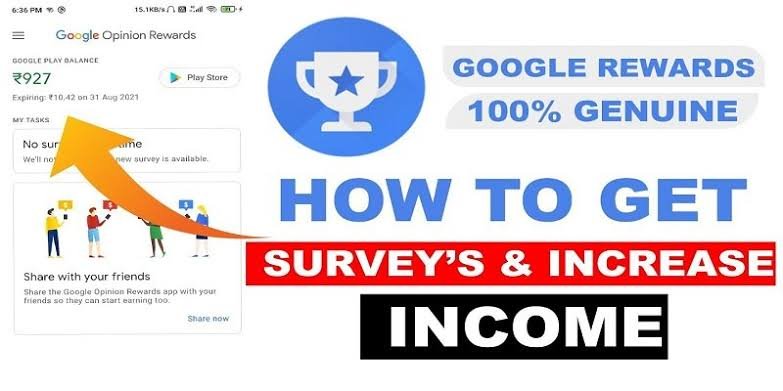
Most survey apps promise easy money, but most of them are wasting your time. Google Opinion Rewards is a different story. There are no long questionnaires to fill out and no hours of work. Instead, it sends short surveys that usually take less than a minute to complete.
If you’re already carrying your phone everywhere, answering a few questions now and then can earn you Google Play credit or PayPal cash, depending on your device and country. It won’t replace a regular income, but it’s one of the easiest ways to earn small rewards online.
Here’s everything you need to know before you get started.
What Is Google Opinion Rewards?
Google Opinion Rewards is a free survey app by Google. Companies and researchers use it to get feedback from real people. Google will pay you to give your opinion.
Most surveys are grounded in everyday experience. They may ask you about places you have visited, products you have bought, your shopping behavior, or your opinion about a certain service.
The surveys are short and easy to do while standing in line, traveling, or relaxing at home.
How Does Google Opinion Rewards Work?
It takes only a few minutes to set up.
Here’s the way it works:
- Download Google Opinion Rewards from the Google Play Store or Apple App Store.
-
Log in with your Google account.
-
Complete your profile honestly.
-
Wait for survey notifications.
-
Please consider each survey carefully.
-
Complete the survey and receive your prize.
Some surveys pay more than others do. As a rule, the reward depends on the length of the questionnaire and the type of information you are asked to provide.
What types of surveys will you be offered?
The questions change regularly, so no two surveys are the same.
You may be asked about:
-
Stores you’ve recently visited
-
Restaurants or cafés
-
Travel experiences
-
Shopping habits
-
YouTube usage
-
Mobile apps
-
Product preferences
-
General opinions
Some surveys contain only two or three questions, while others are slightly longer.
What Can You Create?
Google Opinion Rewards is not designed to replace your full-time income.
Instead, it pays small amounts for fast surveys.
Your earnings depend on several factors, including:
-
Your location
-
Survey availability
-
Your profile information
-
How often you qualify
-
The type of survey
Some people receive several surveys each week, while others receive fewer. There’s no guaranteed number of surveys each month.
Tips to Get More Surveys
Although you can’t force Google to send surveys, a few simple habits may increase your chances.
Complete Your Profile
Your profile helps Google match you with relevant surveys.
Here’s the text, updated with the latest info if it has changed:
Turn On Location History
Some surveys ask about places you’ve recently visited.
If location services are enabled on your device and you choose to use them, you may receive more location-based surveys.
Answer Honestly
Trying to guess the “right” answer isn’t helpful.
Google is looking for consistency, so the best approach is to be honest.
Quickly Answer: Some surveys have an expiration date.
If you get a notification, you will have a better chance of getting the reward if you do it soon.
How will you get paid?
Payment method is dependent on your device and country.
Rewards may include, subject to availability: Google Play Store credit. PayPal payments. Check if the reward option is supported in your region before downloading the app.
Is Google Opinion Rewards Secure?
Since the app is developed by Google, many users consider it one of the more trusted survey platforms available.
That doesn’t mean you should ignore privacy settings.
Before using the app:
-
Read Google’s privacy policy.
-
Verify the permissions you are granting.
-
Choose whether you want to enable Location History.
-
Make sure you have a strong password on Google to keep your account safe.
Knowing how your information is used allows you to make informed choices.
Common Reasons People Receive Fewer Surveys
One of the biggest complaints about survey apps is not getting enough opportunities.
There are a few possible reasons for this with Google Opinion Rewards.
You may get fewer surveys if:
- Your profile is not complete.
-
No surveys available in your area.
-
You snub the survey requests.
-
Some research studies may not be available to you.
This is normal and does not mean there is a problem with your account.
Mistakes to Avoid
If you want to keep receiving surveys, avoid these common mistakes.
-
Rushing through questions
-
Giving random answers
-
Ignoring notifications
-
Providing inaccurate profile information
-
Using multiple accounts
Consistent and honest participation usually leads to a better experience.
Google Opinion Rewards Worth It?
If you’re looking to make hundreds of dollars a month, you’ll probably be disappointed.
That’s not what this app is designed for.
On the other hand, if you’re happy earning small rewards for answering quick questions, it’s one of the easiest survey apps to use.
Many people simply allow the rewards to build up over time and then spend them on apps, games, books, subscriptions, or small online purchases.
Summary Thoughts
Google Opinion Rewards is a simple way to earn some additional rewards by providing your opinion via a few quick surveys. No special skills are required for the tasks, and most surveys take only a minute or two to complete.
The pay is not great, but the app is simple to use and fits nicely into your daily routine. If you don’t mind answering a few questions from time to time, it can be a great way to earn Google Play credit or PayPal rewards with very little effort.
Frequently Asked Questions
Is Google Opinion Rewards free?
Yes. You can download and use the app totally free.
How many surveys will you get?
There’s no set timetable. For some users this may be several times a week, for others less often.
Can I withdraw cash?
Depending on your device and country, rewards may be available through PayPal. In some countries you may receive Google Play credit instead.
Why am I not getting enough surveys?
Depending on your profile information, what researchers are looking for at the time, and your location, you may have surveys available.
Is Google Opinion Rewards worth it?
If you want a simple way to earn small rewards in your spare time, Google Opinion Rewards is one of the most reliable survey apps.
