
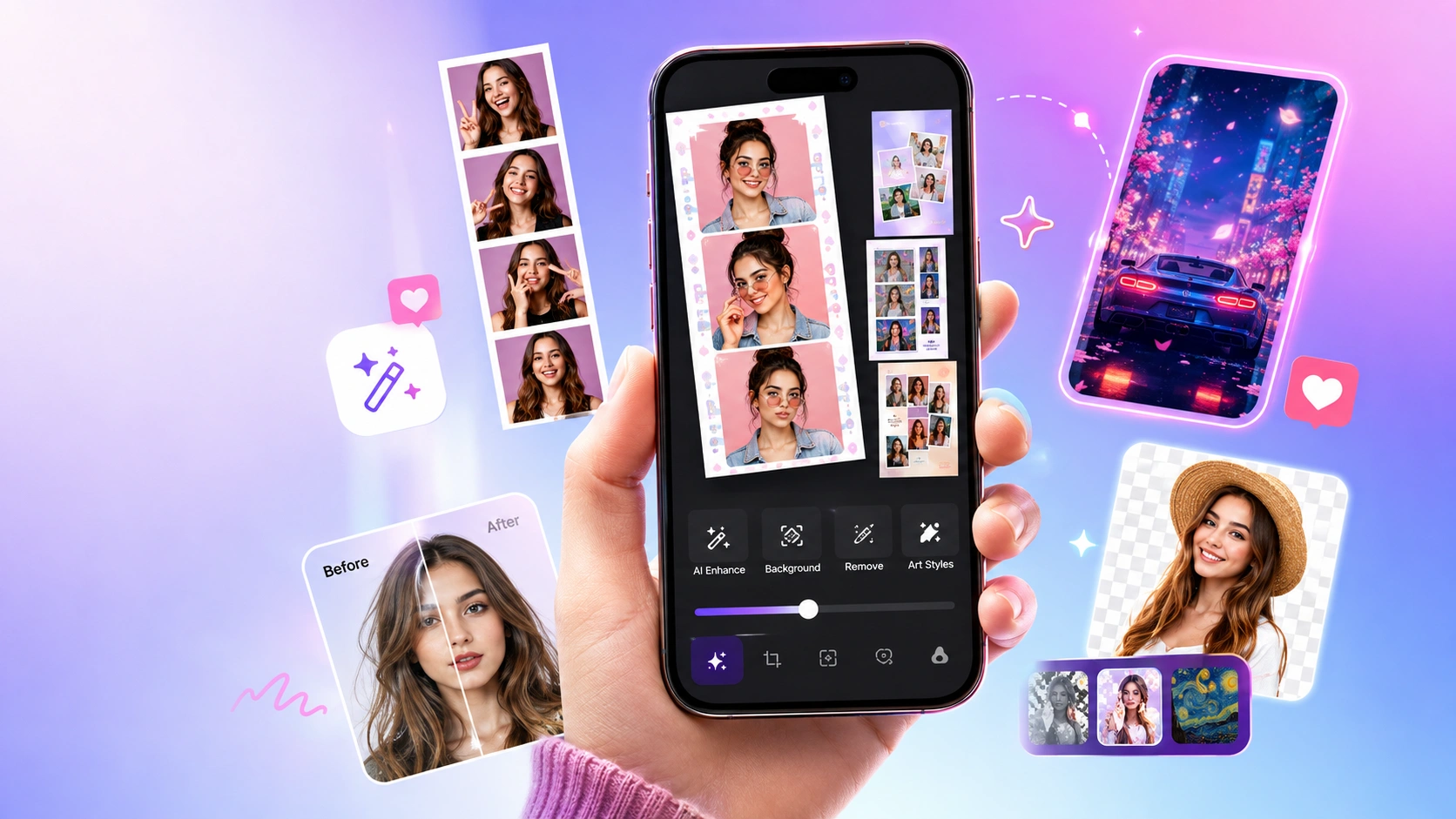
Licowa is a photo and wallpaper app from developer Shining Ai Inc., available on both iOS and Android. It combines three things people usually download separate apps for: a photo booth-style collage maker, a live wallpaper creator, and an AI-powered photo editor.
It’s free to install, has picked up over 2 million downloads on Android alone, and holds a strong 4.75-star rating from tens of thousands of reviews. Though, like most heavily templated editing apps, it comes with a few rough edges worth knowing about before you dive in.
Here’s a practical look at what Licowa can do, how to get the most out of it, and where it tends to fall short.
What Licowa Is Built For
At its core, Licowa turns your camera roll into three types of output: photo booth-style strips, animated live wallpapers, and AI-enhanced edits. Rather than functioning as a single-purpose tool, it packages these into one app with a shared library of templates, stickers, and filters, so you can move between a quick collage and a full wallpaper redesign without switching apps.
Photo Booth-Style Strips
Licowa’s photo booth feature captures four photos in a single sequence and automatically arranges them into a classic strip layout, similar to the “life4cut” photo booths popular in South Korea. You can shoot fresh photos directly in the app or pull from existing shots, then decorate the strip with stickers, filters, and themed frames — including sticker sets built around K-pop idols, which has become one of the app’s more talked-about features among younger users.
Live Wallpaper Maker
The wallpaper tool converts a static photo into an animated lock-screen or home-screen background using motion effects and layered templates. Licowa markets this as turning ordinary photos into “8K dynamic wallpapers,” pulling from a large built-in template library. It’s worth noting that some users report the live-motion effect not always displaying correctly once a wallpaper is actually set on the device, so it’s worth testing before assuming it will look identical to the in-app preview.
AI Editing Suite
Licowa’s newer AI tools go beyond basic filters:
- Object removal — brush over unwanted items in a photo to erase them.
- One-tap cutout — isolate a subject from the background for use in collages or stickers.
- Style transfer — reimagine a photo in an illustrated or animated art style.
- Image enhancement — sharpen detail and correct color in lower-quality photos.
- Portrait touch-ups — automatic skin and facial adjustments for selfies.
These AI features put Licowa closer to a lightweight version of dedicated AI photo editors, bundled into an app that’s otherwise focused on templates and layouts.
Collages and Cards
Beyond the photo booth format, Licowa includes freeform collage tools, grid layouts, and templates for greeting cards and social posts, with customizable text and backgrounds designed for direct sharing to social platforms.
How to Use Licowa
Getting started takes just a few steps:
- Download the app from the App Store or Google Play (Android 10 or later is required).
- Choose a mode — Photo Booth, Live Wallpaper, Collage, or AI Editing.
- Select existing photos or capture new ones directly in the app.
- Apply a template, frame, sticker set, or AI tool.
- Export the result to your camera roll or share it directly to social media.
The workflow is template-first: rather than building a design from a blank canvas, you generally start from a pre-made layout and customize it, which keeps the learning curve low.
Pricing: What’s Actually Free
Licowa is free to download, and the developer advertises the core experience — live wallpapers, photo booth strips, collages, and AI avatars — as free and ad-free. That said, the App Store listing does note in-app purchases, and some sources mention limited free trials for certain AI-heavy features (for example, a capped number of free AI image or video generations before a paywall applies). If you plan to lean heavily on the AI editing tools specifically, it’s worth checking the current in-app pricing before assuming everything is unlocked at no cost.
What Users Like
- No mandatory ads in the core experience, which is uncommon for a free template-based app.
- A large, frequently updated template library, including trend-driven sticker sets.
- An easy, beginner-friendly interface that doesn’t require any editing background.
- A combined toolset — you don’t need separate apps for photo booth strips, wallpapers, and AI editing.
Known Issues to Watch For
Based on user feedback across app stores, a few recurring complaints are worth knowing before you rely on the app for something important:
- Loading and server errors. Some users report frames or templates failing to load, particularly on newer devices.
- Occasional crashes, especially reported on newer iPhone models and iPads.
- Live wallpapers not animating as expected once actually applied as a device background, even though they preview correctly in-app.
None of these appear to be universal problems, and the app’s high average rating suggests most users have a smooth experience, but they’re common enough in recent reviews to mention.
Is Licowa Worth Downloading?
If you want a fast, template-driven way to make photo booth strips or personalized live wallpapers without paying for a subscription upfront, Licowa is a reasonable pick — the free tier covers the core features, and the AI tools add real editing capability that most collage apps don’t include. If you’re on an AI-heavy workflow (object removal, style transfer, or bulk edits) or plan to set a lot of live wallpapers, it’s worth testing the app on your specific device first, since loading issues and wallpaper animation problems have been reported by users.
Frequently Asked Questions
Is Licowa free to use?
The core features — photo booth strips, collages, and live wallpapers — are advertised as free and ad-free. Some AI-heavy features may have usage limits or in-app purchases, so it’s worth checking current pricing in the app before relying on them.
What devices support Licowa?
Licowa is available on both iOS and Android. On Android, it requires Android 10 or higher.
Who develops Licowa?
Shining AI Inc develops Licowa.
Why isn’t my live wallpaper animating after I set it?
This is a known issue some users have reported after applying a wallpaper to their lock or home screen. If a wallpaper isn’t animating as expected, try re-applying it or checking your device’s live wallpaper settings, since the in-app preview doesn’t always reflect real device behavior perfectly.
Does Licowa work without an internet connection?
Many templates and AI features rely on server-side processing, so a stable internet connection is recommended for the best experience, particularly for AI editing tools.
